Every support department knows the same questions:
“Where is my shipment, why is it delayed, when will it be delivered?”
While your team is opening internal databases and checking tracking numbers, something else is happening at the same time: more complex cases are waiting, phone lines are getting busier, and customers with real issues receive less attention.
Every hour spent on repetitive checks is an hour less for resolving complex complaints, improving the customer experience, or analyzing why delays occur in the first place.
Time spent on repetitive checks is time not dedicated to valuable investment in:
-
improving the customer experience,
-
analyzing common issues and optimizing processes,
-
proactive communication with key customers.
The question is: what could your team do better if they no longer had to handle this manually—and is it time for an AI agent to take over this repetitive process?
Why This Problem Never Goes Away
Questions about shipment status are not an exception—they are routine.
Even if you improve logistics, customers will still check. They want confirmation, because uncertainty is uncomfortable.
Support teams repeat the same pattern over and over: open the email, check the tracking number, find the data, reply.
Three to five minutes per case doesn’t sound like much. But with ten, twenty, or fifty cases per day, this quickly turns into hours of operational work.
The process is simple—but it requires attention.
And attention is a valuable and limited resource that has the greatest impact on decision quality and customer experience.
How an AI Agent Takes Over the Process
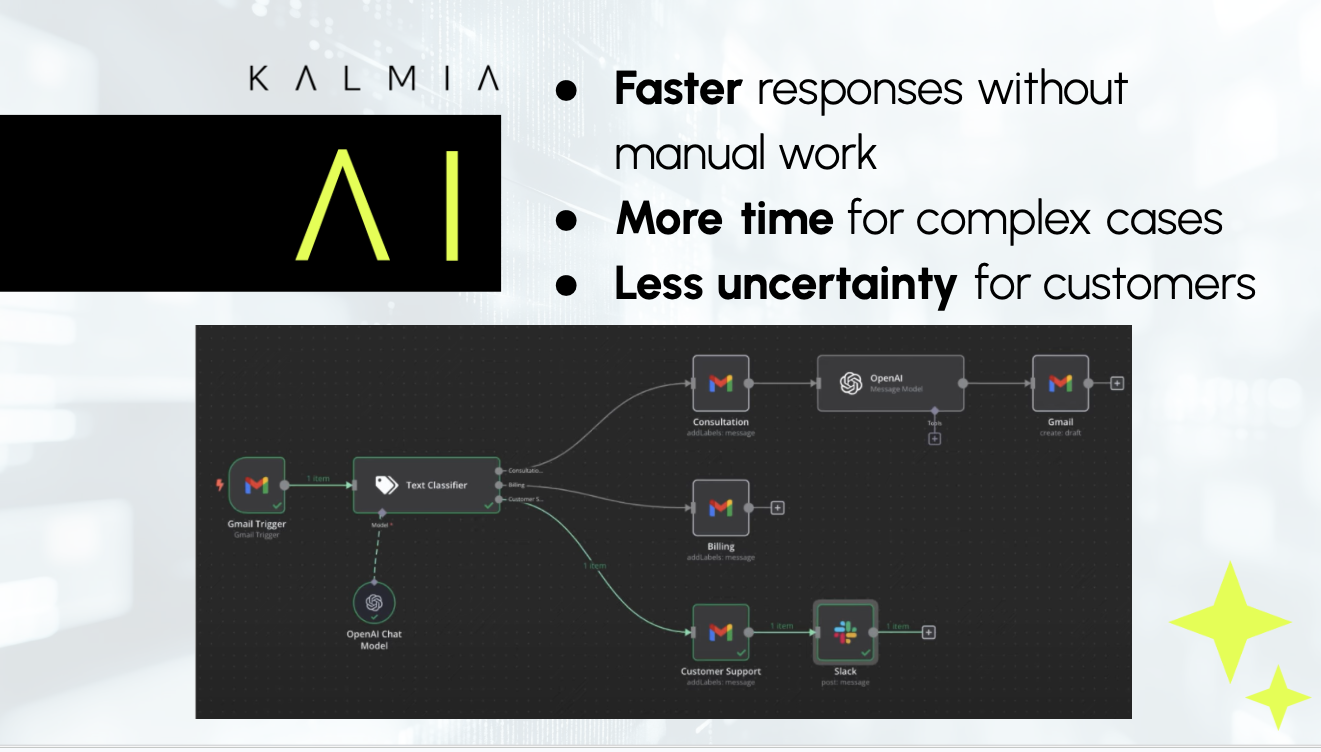
Instead of employees manually opening systems and checking data, an AI agent performs a sequence of steps automatically:
Step 1: Email monitoring
The agent detects messages related to delays or shipment status.
Step 2: Checking key data
It verifies whether the email contains a tracking or order number. If not, it automatically requests the missing information.
Step 3: Connection to internal databases
Through a secure internal connection, it retrieves the current shipment status.
Step 4: Considering external factors
It checks for potential delivery disruptions—road closures, weather conditions, strikes, or other extraordinary events—and links them to the delivery route.
Step 5: Preparing the response
The agent prepares a structured email including the reason for the delay, current status, and estimated delivery time.
The responsible employee reviews, edits if needed, and sends it.
Why a Chatbot or AI Assistant Can’t Do This
A chatbot answers questions. An AI assistant helps find information within internal systems.
Both react.
An AI agent does more: it detects triggers on its own, checks data across multiple systems, connects information, and prepares the next step.
An AI agent independently handles:
-
checking internal databases,
-
identifying missing data,
-
considering external factors,
-
preparing an appropriate response.
An assistant improves responsiveness.
An agent improves efficiency.
When routine tasks are handled by systems, people regain time to think, evaluate, and solve complex challenges—ultimately improving the customer experience.
What an AI Agent Brings to Companies and Customers
When repetitive checks are handled by a system, the dynamics of the entire department change.
For the company:
-
more time for complex cases and improving customer experience,
-
fewer operational errors in data verification,
-
lower cost of handling simple requests.
For customers:
They get something rare today: a fast response that is not just an automated reply or template message.
Instead of a generic “your shipment is in transit,” they receive context—why the delay happened, what it means, and when they can expect delivery.
The result is not just a faster email.
The result is more effective support and more satisfied customers.
What Needs to Be in Place for Safe Operation
It’s important to understand that an AI agent does not have to be fully autonomous. It can act as an assistant that prepares drafts, suggests responses, or flags anomalies—while the final decision is still made by a human.
For simple cases, where the process is clear and repeatable, it can take over the entire workflow—if the company chooses to allow it.
The key is that it is designed securely:
-
data access within an internal network,
-
clearly defined access rights,
-
activity traceability,
-
possibility of local infrastructure deployment.
Automation does not mean loss of control.
It means a more thoughtful distribution of responsibility between systems and people.
At Kalmia, such systems are implemented with clear architecture, controlled access, and transparent oversight. The goal is not just automation, but a reliable and predictable operational process.
AI Agent as an Operational Advantage
Checking shipment statuses is not a company’s competitive advantage. But it is an area where you can lose time, focus, and money.
When repetitive operational tasks are handled by a system, the support department gains more time for complex cases. Processes become more stable, response times improve, and communication becomes more consistent.
This is not a technological experiment—it is a rational optimization of a process that happens every day.
If you are thinking about how to relieve your team while improving customer experience, it makes sense to consider whether such an agent is also suitable for your environment.